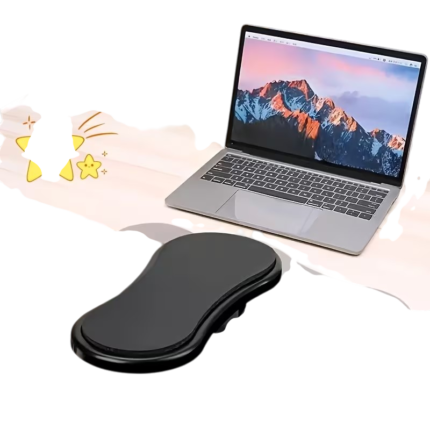
Ergonomic Desk Armrest With Rotatable Support
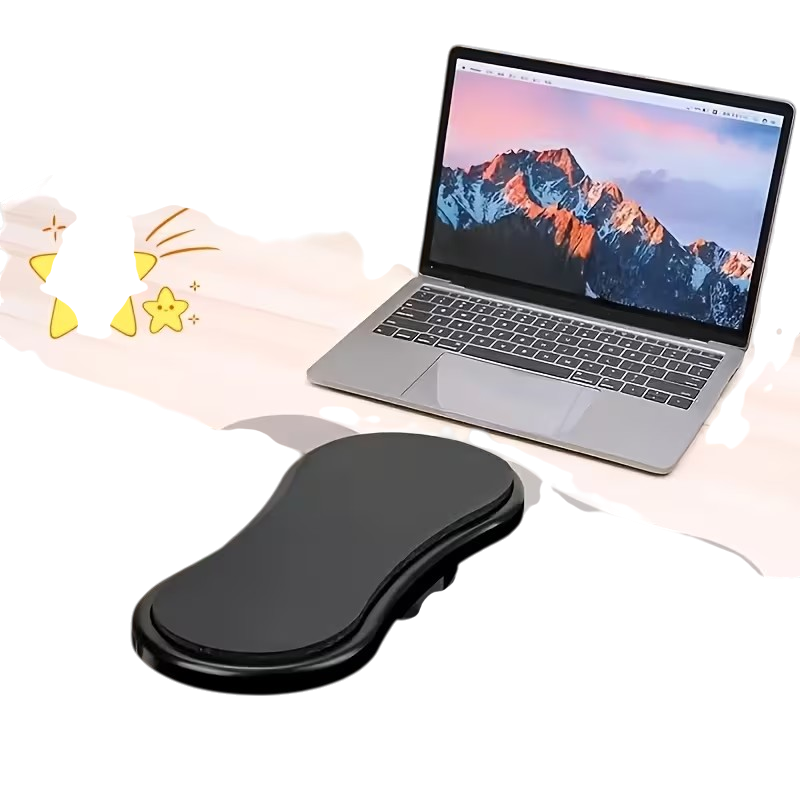
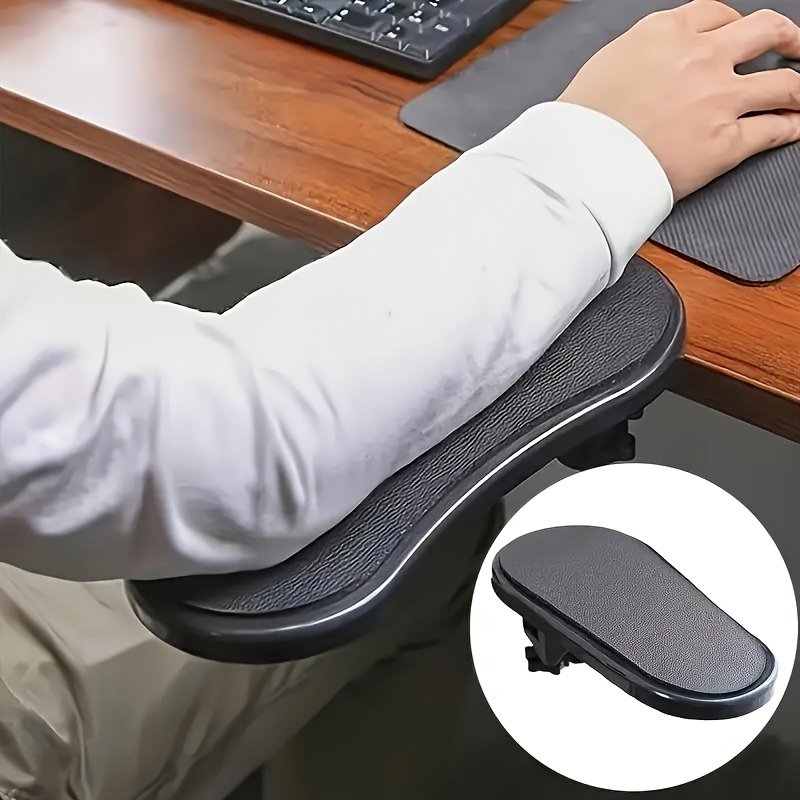
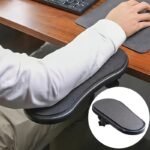
This ergonomic desk armrest provides padded support for the forearm and elbow while working, gaming, and other computer use. The armrest is mounted directly on the edge of the desk, expanding the existing workspace so the arm can rest closer to the keyboard and mouse.
The rotatable design allows the support to be moved in towards the desk or out to the side when the working position changes. The padded surface is covered with faux leather, while the adjustable screw clamp makes installation simple without the need to drill holes in the tabletop.
Key Benefits
- Provides a padded resting surface for the forearm and elbow.
- Suitable for work, gaming, and extended periods at the computer.
- Mounts on the edge of the desk with an adjustable screw clamp.
- Rotatable design makes it easy to change the position of the armrest.
- Can be used with keyboard, mouse, and various desk setups.
- Does not require drilling or permanent changes to the desk.
- Compact size that does not take up space on the desk surface.
Overview
A desk does not always have sufficient depth for the entire forearm to rest on the surface. This can especially be the case when the keyboard and mouse are positioned close to the edge of the desk, or when the workspace is limited. This desk armrest creates an additional support surface in front of the desk edge, providing the arm with a stable place to rest during computer work.
The armrest can be placed on the side where the mouse is used, or in front of the keyboard, depending on the desk’s design and the user’s working position. The rounded shape follows the forearm and allows space to move the hand between the keyboard and mouse. When the support is not needed, it can be rotated under or along the desk edge, freeing up the workspace.
The product is intended as a practical desk accessory and can be used in a home office, at the workplace, or at a gaming station. The adjustable mounting allows the armrest to be moved between compatible desks without leaving drill holes.
Specifications
| Product Type |
Rotatable Armrest for Desk |
| Quantity |
1 pc. |
| Material |
Faux Leather and Padded Support Surface |
| Length |
Approx. 27 cm |
| Width |
Approx. 13.5 cm |
| Mounting |
Adjustable Screw Clamp for Desk Edge |
| Clamp Dimensions |
Approx. 8.5 cm |
| Screw Length |
Approx. 8 cm |
| Movement |
Rotatable Sideways |
| Usage |
Office Work, Gaming, Keyboard and Mouse |
Support When Using Keyboard and Mouse
The armrest is particularly practical when using a mouse, as the forearm can rest on the padded surface while the hand moves across the mouse pad. It can also be placed in front of the keyboard when support is needed during typing. The placement can be adjusted to suit the chosen task and the desk’s configuration.
To achieve a natural working position, the armrest should be mounted at a height close to the level of the desk surface. The arm should be able to rest without raising the shoulder, and the support should not push the wrist upwards. The height of the chair and the positioning of the keyboard and mouse can be adjusted along with the armrest.
Rotatable Design for Flexible Placement
The rotatable joint allows the angle to be changed during use. The support can be brought closer to the body, placed along the desk edge, or rotated away when more space is needed. This function is practical when switching between typing, mouse work, and other tasks at the desk.
The movement also makes the armrest easier to store at the desk. Instead of disassembling it after use, the support can be rotated to a position where it takes up less space. Ensure that the joint can move freely and that the armrest does not hit drawers, desk legs, or other equipment under the desk.
Installation Without Drilling
The armrest is secured with a clamp and screw under the desk edge. Place the clamp on a flat and stable part of the desk, and gradually tighten the screw until the installation is secure. Avoid over-tightening, as this can strain both the clamp and the tabletop.
Check the edge and thickness of the desk before installation. The construction must have space for the clamp, and the area under the tabletop should be free of cross braces, drawers, and cables. The installation should be re-tightened if the armrest begins to move during use.
For Office, Home Work, and Gaming
The product fits several types of desk setups. In a home office, it can create an additional support surface at a compact desk. At the workplace, it can be used with a traditional keyboard and mouse setup, while in gaming, it can be positioned to support the arm during repeated mouse movements.
The armrest can be mounted on the right or left side, allowing the placement to be adjusted to the hand used for the mouse. It can also be moved if the desk layout changes. The compact design makes it usable where there is not enough space for a larger desk or a separate forearm support.
Padded Support Surface
The soft surface creates a smooth contact area for the forearm. The rounded design reduces sharp edges against the arm and makes the armrest suitable for both short tasks and longer periods at the desk.
Distribute the arm evenly over the support surface, and avoid placing the entire body weight on the product. The armrest is designed as support for the forearm and should not be used as a seat, handle, or aid for getting up from the chair.
Cleaning and Maintenance
Wipe the padded surface with a soft, slightly damp cloth. If necessary, use a small amount of mild detergent, and wipe down with a clean cloth. Avoid scouring pads, solvents, and soaking the padding.
Regularly check the screw clamp and the rotatable joint. Retighten the installation if it has become loose, and remove dust around moving parts. The armrest should not be subjected to hard impacts or loads beyond normal support of the forearm.








 Free delivery on orders of £5 or more
 14-Day Full Returns
 100% Secure Payments