Windows Keyboard Shortcuts
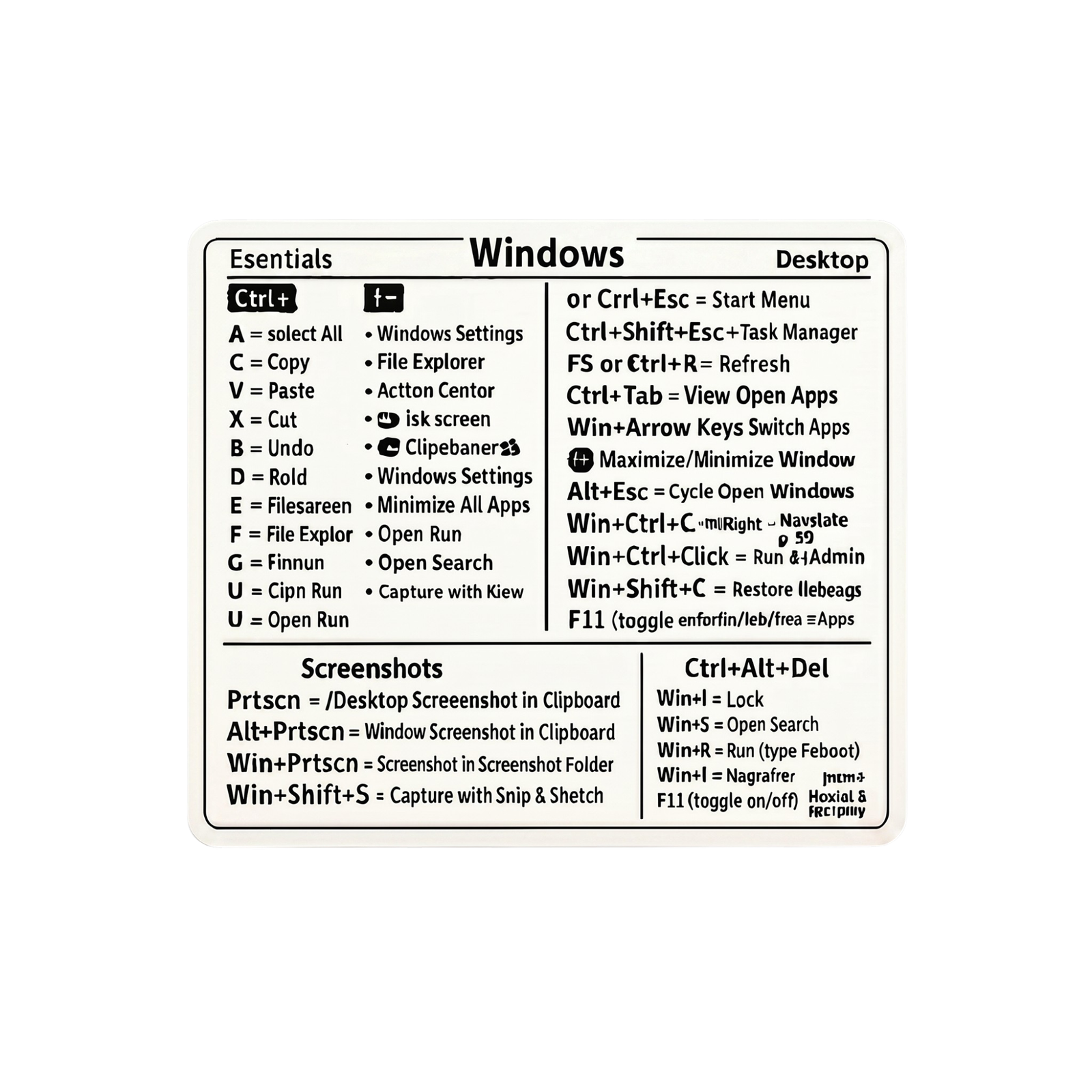
This product is a shortcut card for Windows computers. The card collects common commands in a compact and easy-to-read layout, making it easy to orient yourself at the desk. It serves as keyboard shortcuts for Windows and provides a quick overview of shortcuts for navigation, screenshots, and daily functions. The visual layout makes the information simple to find during regular computer use.
Key Benefits
- Collects common Windows commands in one overview.
- Shows shortcuts for navigation, screenshots, and other frequently used functions.
- Designed as a compact Windows shortcut card for quick reference.
- Suitable for both new and experienced users who want a clear reminder list.
- The visual layout makes it easier to find relevant keyboard shortcuts in everyday life.
Overview
This visual guide to the keyboard is made for users who want a comprehensive overview of keyboard shortcuts without having to search through menus or help files. The content focuses on practical shortcuts that are often used in work, studies, and general use of a Windows computer. The card serves as a simple reference at the workplace and can be used when you want to refresh known commands or learn new ones.
As an overview of keyboard shortcuts, the product collects the most common key combinations in a format that is easy to read. It allows for quick lookup of commands for window management, searching, screenshots, and general navigation. The experience may vary from person to person depending on previous familiarity with Windows and individual work habits. Windows keyboard shortcuts are therefore a practical reference for daily use in the office or at home.
Can be used as a simple reminder overview at the computer.






 Free delivery on orders of £5 or more
 14-Day Full Returns
 100% Secure Payments